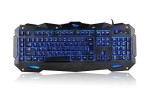
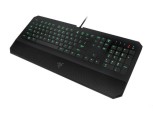
CHONCHOW LED Backlit Wired Gaming Keyboard and Mouse Combo Mechanical Feeling Rainbow Backlight Emitting Character 3200DPI Adjustable USB Mice Compatible with PC Resberry Pi iMac TDW910(White)
package: -1 x mechanical feeling gaming keyboard -1 x gaming mouse -1 x gaming mousepad Product description: Model:1910w Color: white Cable length:1.5m Click life: 10 million times Dimension:17.32*5.04*0.85 in Compapatible with:Win 7/Win 8/Win 10/Win XP/Mac OS/Vista etc Product Highlights: – Constant bright mode, circular breathing rainbow mode and 4 level of brightness for choice.,mouse seven
package:
-1 x mechanical feeling gaming keyboard
-1 x gaming mouse
-1 x gaming mousepad
Product description:
Model:1910w
Color: white
Cable length:1.5m
Click life: 10 million times
Dimension:17.32*5.04*0.85 in
Compapatible with:Win 7/Win 8/Win 10/Win XP/Mac OS/Vista etc
Product Highlights:
– Constant bright mode, circular breathing rainbow mode and 4 level of brightness for choice.,mouse seven breathable color
– Imitate mechanical feeling input you more excting and tension in the gaming battlefield
– 26 keys non-conflict support almost all games
– Shortcut at your fingertips customize your favorite applications
– Sleek design with keyboard and sculped shape with mouse comfortable typing
– Simple design keys defination is clear USB interface plug and play
– Exquisite package as a gift,practical and beautiful
– 30 days refund or replacement and 12 month warranty
Function details:
– Adjust the brightness(four level of brightness): press FN + “↑” / “↓”
– Stable backlit color arrangements(turn on the light ) : press the light bulb key right under the shift button
– Breathing mode: FN+the light bulb key right under the shift button
Multimedia key:
-FN + F1 = Music
-FN + F2 = Volume-
-FN + F3 = Volume +
-FN + F4 = mute
-FN + F5 = previous
-FN + F6 = next
-FN + F7 = Play / Pause
-FN + F8 = Stop
-FN + F9 = Internet Explorer
-FN + F10 = Email
-FN +F11 = My computer


Comments