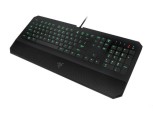
Gaming keyboard,Rii RK902 87-Key Wired Mechanical Keyboard with Blue Switches,Metal Cover,LED-Backlit for Typing and Gaming
Rii Electronic Mechanical Gaming keyboard Backlit 1.After being connected to the computer,the keyboard enters backlit initalizing mode and all LED lights wil be lighted with 50% brightness 2.You can press FN+right Win key to switch backlit mode 1.Breathing mode 2.Heart beat mode(with the rhythm of slow blinks once,fast blinks twice) 3.Teris mode(backlights become lighted line
Rii Electronic Mechanical Gaming keyboard
Backlit
1.After being connected to the computer,the keyboard enters backlit initalizing mode and all LED lights wil be lighted with 50% brightness
2.You can press FN+right Win key to switch backlit mode
1.Breathing mode
2.Heart beat mode(with the rhythm of slow blinks once,fast blinks twice)
3.Teris mode(backlights become lighted line by line downloads,repeatedly.You can press FN+Up/Down
4.The Backlit will be lighted row by row towards the middle row repeatedly.
5.In initializing mode,you can press FN=Page Up to brighten the backlit and FN+Page Down to dim the backlit There are four grades of brightness,20%,50%,80%,100%
6.In backlit mode,you can press FN+Page up to accelerate the speed and FN+Page Down to lower the speed.It has three grades of speed,Slow,Middle and Fast
7.In any backlit mode,you can press FN+Del to turn off the backlit and press again to reset to the mode before turning off. You can press FN+Insert to reset to backlit initializing mode.




Comments